
Production overview
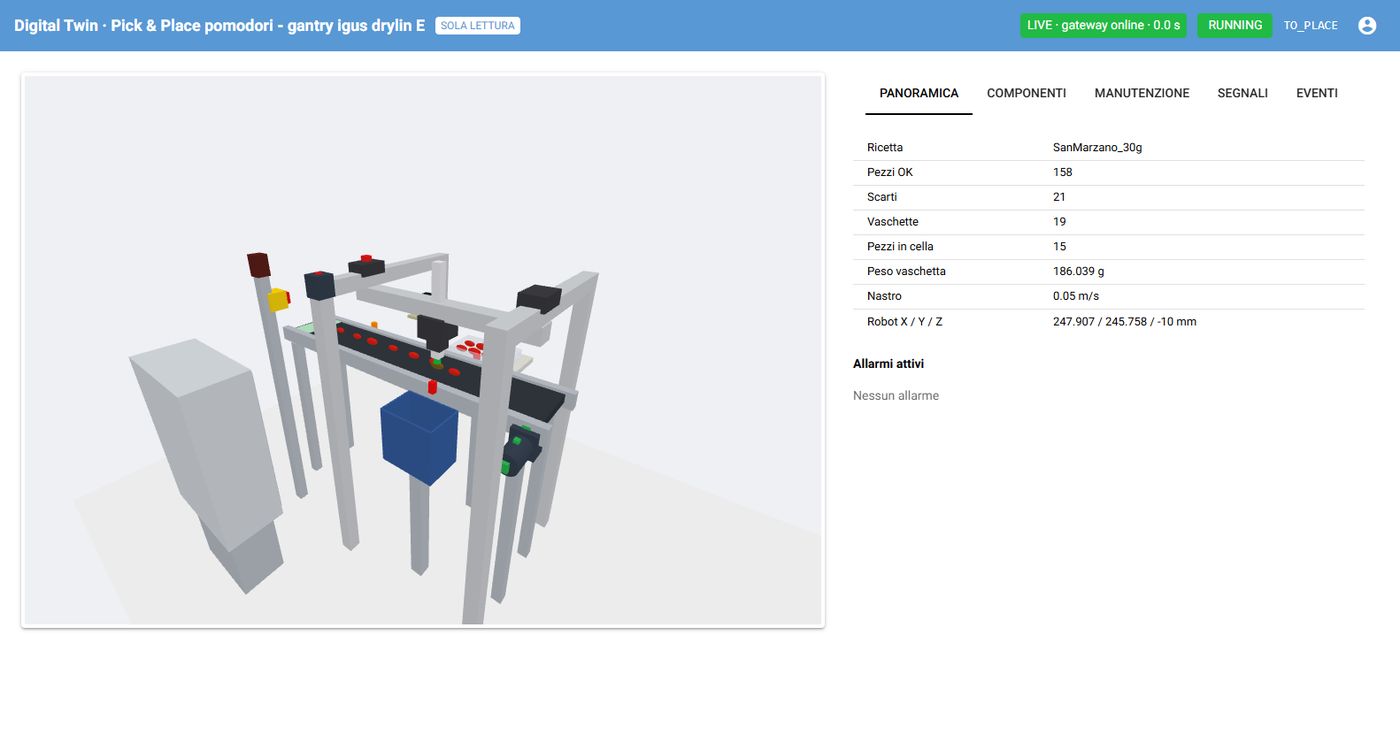
Recipe, good parts and rejects, completed trays, robot position and active alarms, updated several times per second next to the 3D view of the cell.
 Industry 4.0 · Digital twin
A pick & place cell with an igus drylin E Cartesian robot, machine vision and predictive maintenance, simulated in real time and securely accessible from anywhere.
Read-only demo account: you can explore everything, but you cannot control anything.
demodemo1234A pick & place kit for small and medium-sized agricultural businesses: tomatoes travel on a food-grade conveyor, a camera checks their quality and size, the robot picks the good ones with a soft suction cup and places them in trays, while rejects go to a dedicated bin. The digital twin reproduces the whole cell before it is even built.
The PLC program runs against a faithful virtual plant: conveyor, photocells, vision, gripper and robot. Logic errors, faults and edge cases are found before commissioning.
A web dashboard shows the cell in 3D, the production status and the sensors in real time, from anywhere, with no way to act on the machine.
Non-invasive current, vibration and temperature sensors feed health indicators and estimates of the time left before an alarm.
Data leaves the plant in one direction only. Control stays on site; only what is needed to observe and analyse reaches the outside.
All images are real screenshots of the application.
Recipe, good parts and rejects, completed trays, robot position and active alarms, updated several times per second next to the 3D view of the cell.
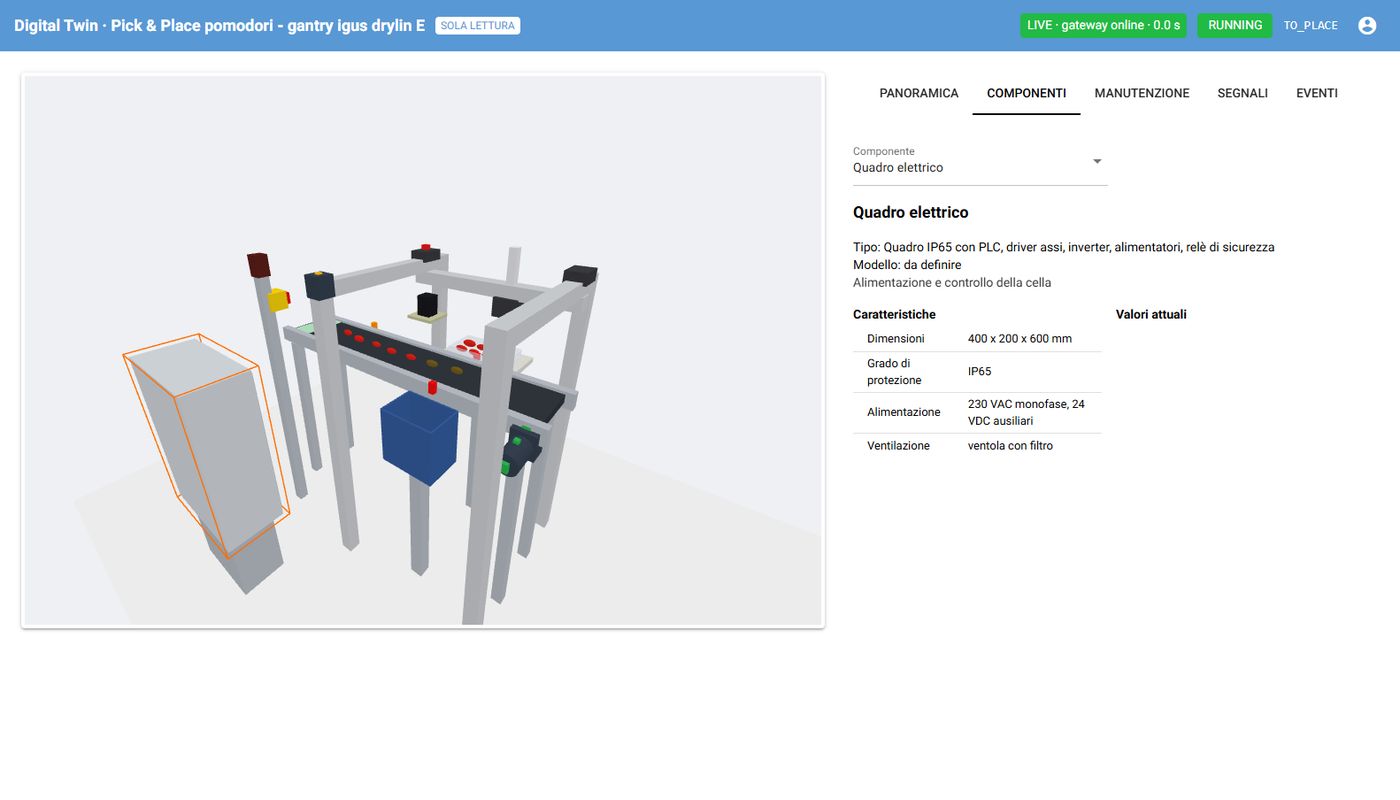
Robot, conveyor, parts and sensors move with the data coming from the plant. Every device can be clicked to open its card: type, model, specifications, position and current values.
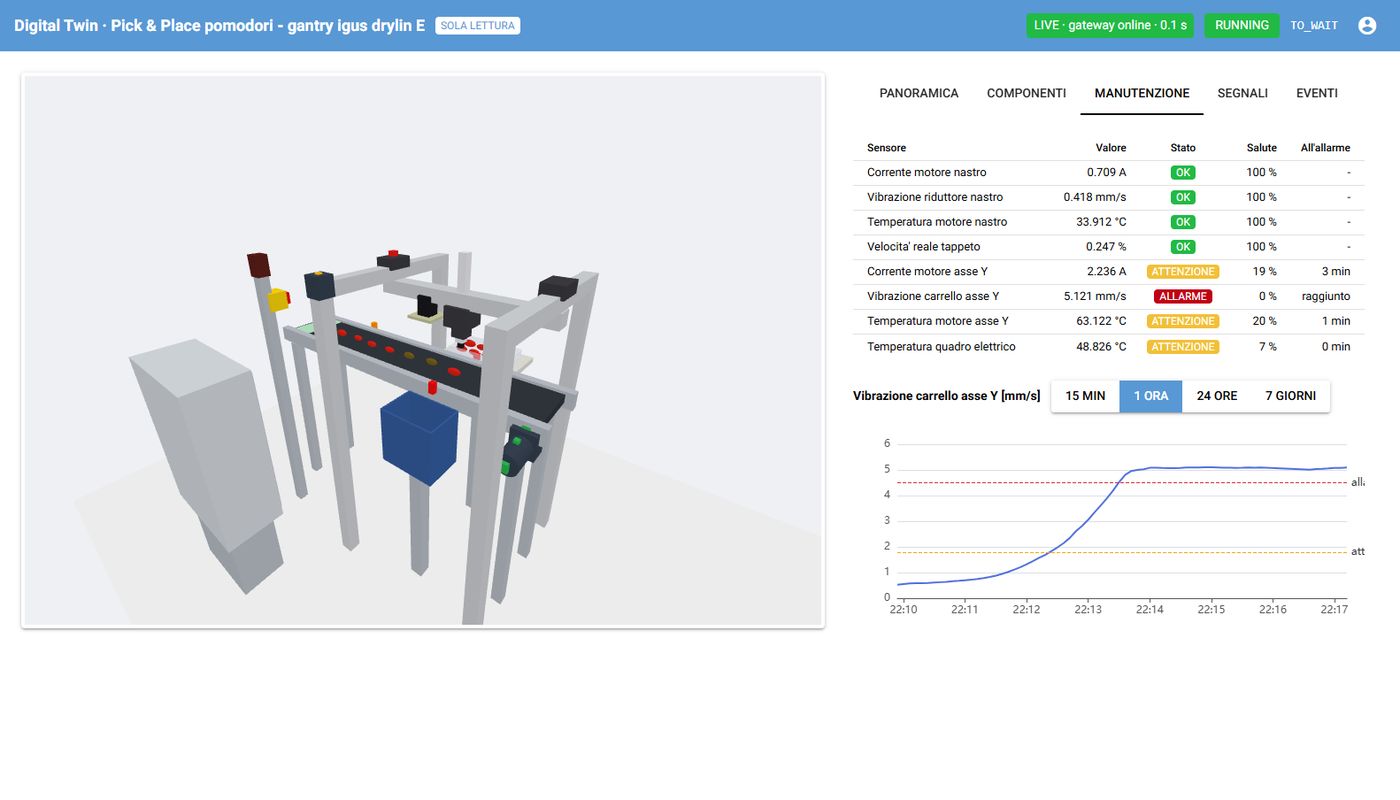
Eight sensors monitor the conveyor, the robot and the electrical cabinet. For each one: status, estimated health, history with thresholds and estimated time until the alarm level is reached.
A virtual camera frames the pick station; a vision algorithm measures position, size and defects of every tomato and passes the result to the PLC, with the same errors as a real measurement.
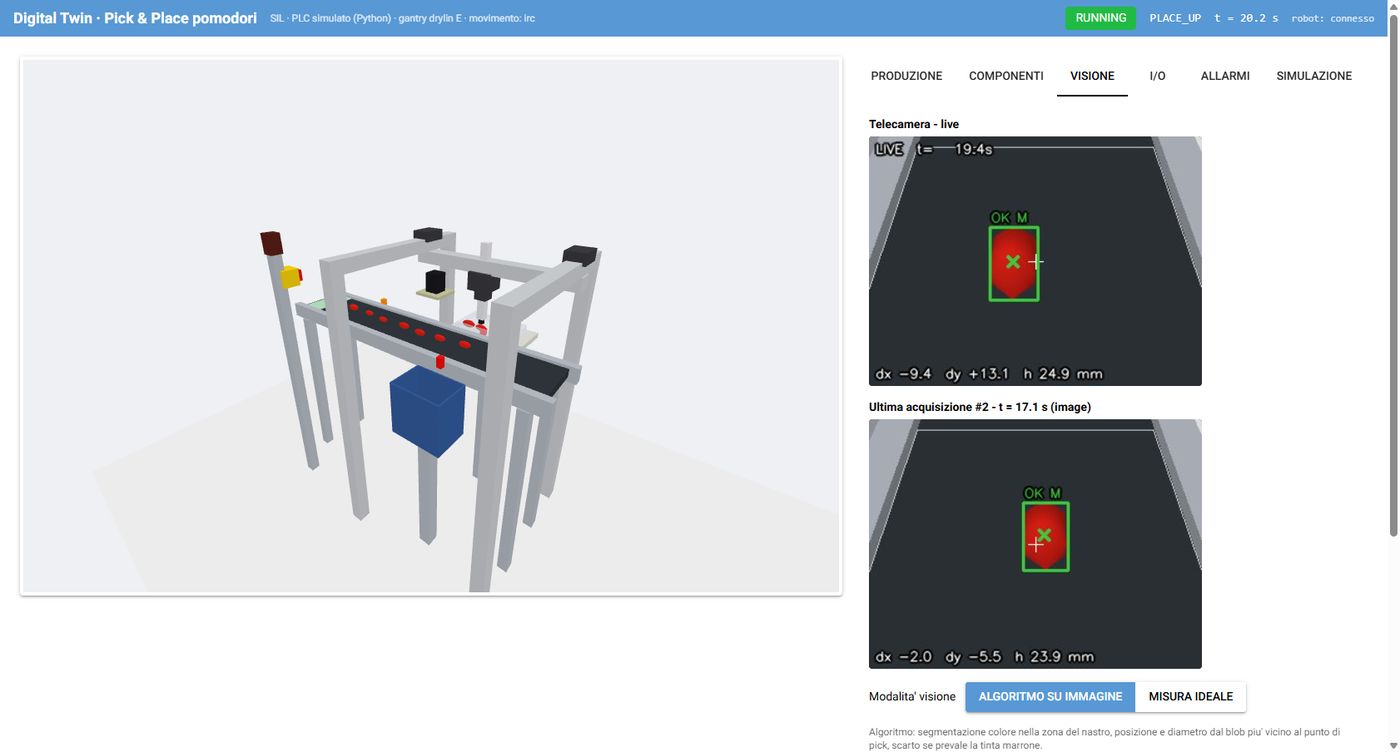
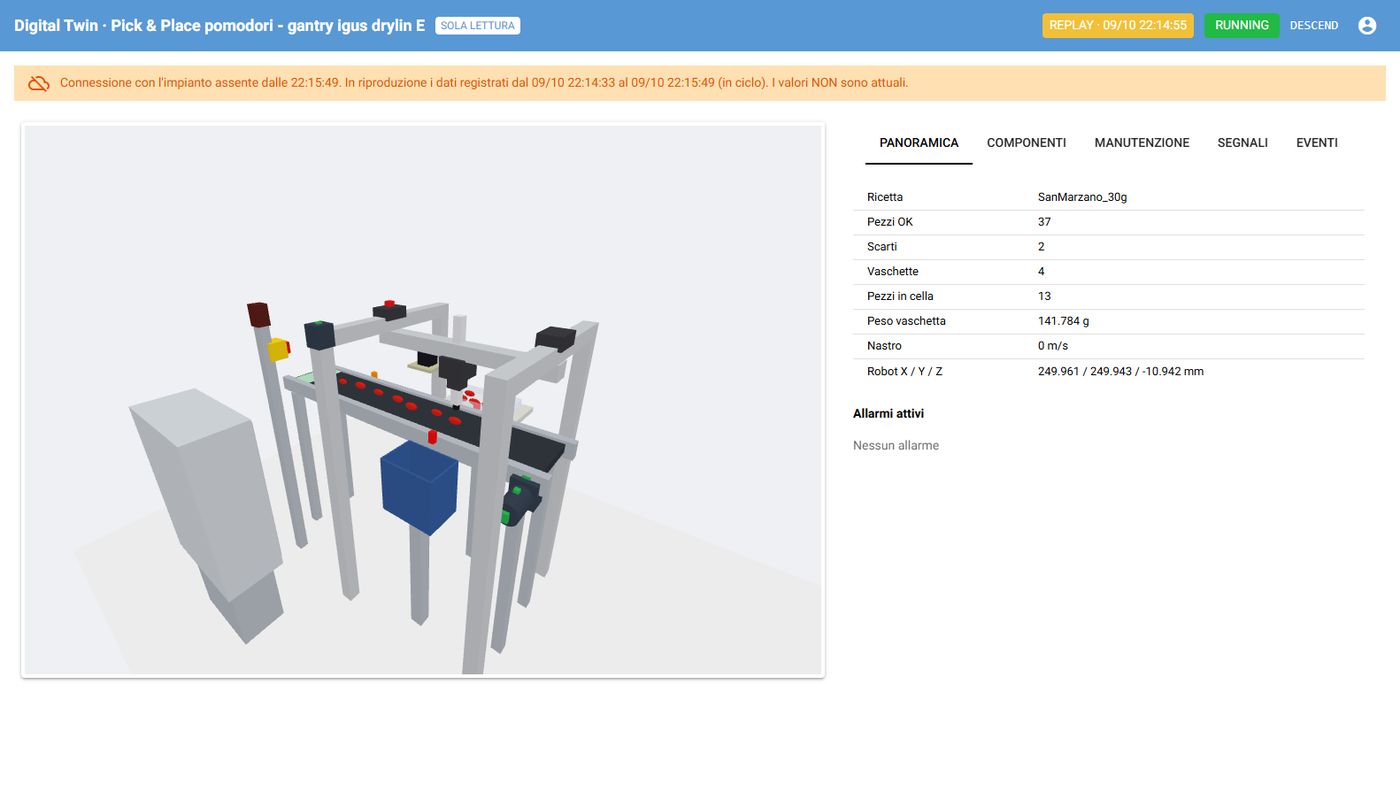
The dashboard states whether the data comes from the simulation or from the plant, and whether it is live. If the link drops, it replays the last production period with a clearly visible warning.
Industrial components and standards.
Log in with username demo and password demo1234: 3D view, sensors, history and events, read-only.
Open the live dashboard →